
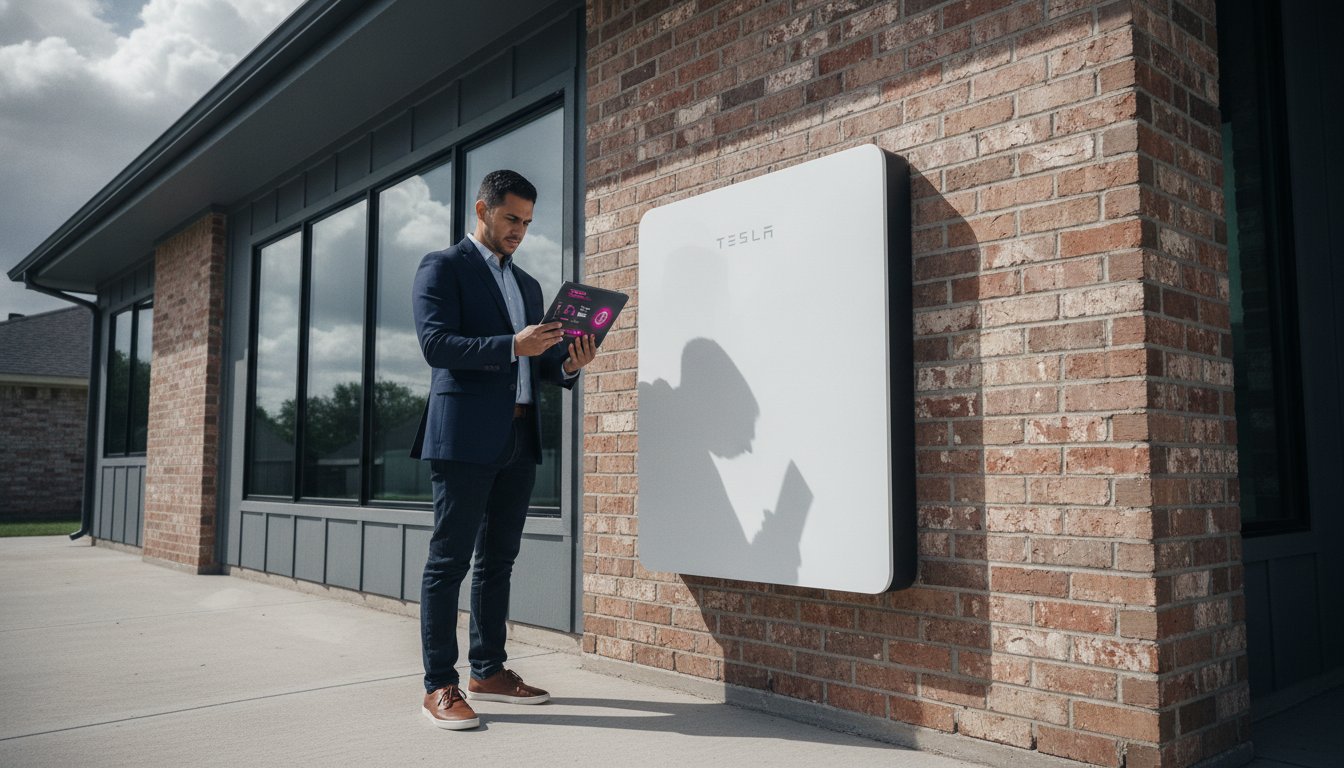
A Tesla Powerwall is a sophisticated energy management hub that requires precise oversight to manage Houston’s evolving grid demands. While the technology is designed for seamless operation, many homeowners find that app connectivity drops during critical storm windows or feel uncertain if their settings align with the latest CenterPoint delivery rates. Understanding how to monitor your Tesla Powerwall with professional accuracy is the only way to transform a passive backup system into a strategic asset. It’s the definitive method for ensuring your home remains resilient during unpredictable weather events.
We recognize that maintaining constant visibility into your home’s energy flow is essential for long-term reliability and financial performance. This guide provides the technical expertise needed to master the Tesla app, troubleshoot hardware communication issues, and optimize your discharge cycles for the 2026 energy environment. You’ll gain a comprehensive understanding of advanced monitoring techniques, from interpreting complex power flow data to leveraging the Tesla Electric Virtual Power Plant for maximum efficiency.
Key Takeaways
- Utilize the Tesla app version 4.49 to maintain a comprehensive overview of your energy storage and distribution performance.
- Master how to monitor your Tesla Powerwall by interpreting complex power flow metrics that separate solar generation from real-time home consumption.
- Enable Storm Watch protocols to ensure your system automatically reaches maximum capacity before severe weather impacts the Houston area.
- Optimize your system’s financial performance by monitoring participation in the Tesla Electric Virtual Power Plant and tracking CenterPoint utility interactions.
- Establish a standardized protocol for troubleshooting connectivity drops and identifying when professional physical maintenance is required for long-term system integrity.
Accessing the Tesla App: The Official Monitoring Interface
The Tesla app, currently in version 4.49, serves as the primary interface for managing your home energy ecosystem. It provides a level of granular control that was previously reserved for industrial monitoring systems. When you learn how to monitor your Tesla Powerwall, you’re interacting with a real-time data stream that refreshes every ten seconds. This high-frequency update cycle allows for immediate verification of system performance during peak demand or sudden grid fluctuations. It’s the most reliable way to confirm your system is responding correctly to the local environment.
Effective monitoring relies on the hardware’s ability to transmit data consistently. The Tesla Powerwall utilizes several communication protocols to ensure your data remains accessible even when local internet services fail. This architectural redundancy is a hallmark of professional-grade energy storage. Maintaining this connection is vital for accurate reporting and long-term system health.
Setting Up Your Energy Account
Initial configuration requires downloading the official app and authenticating with the credentials established during your installation process. Once logged in, you must grant the application permission for local network access to facilitate direct communication with the hardware. This step is critical for reducing latency during live monitoring sessions. You should verify that your professionally installed system, such as those configured by Santiban, is correctly linked within the app settings to ensure full functionality. The Tesla Gateway acts as the central intelligence system that coordinates power distribution and communications across your entire energy site.
Connectivity Options: Wi-Fi vs. Hardwired Ethernet
Professional installers often prioritize a hardwired Ethernet connection for its superior stability and immunity to signal interference. While Wi-Fi is a standard feature, it can be susceptible to drops during severe Texas weather or electrical storms. Mastering how to monitor your Tesla Powerwall requires a stable connection to the local network to avoid data gaps.
- Ethernet: Provides the most stable data path for continuous monitoring and is the preferred method for industrial-grade reliability.
- Wi-Fi: Offers flexibility but requires a strong, consistent signal at the installation site to prevent connectivity drops.
- Cellular Backup: Serves as a tertiary failover to maintain basic system visibility during ISP outages, ensuring you aren’t left in the dark.
Managing these connectivity layers is essential for maintaining a high-fidelity view of your system’s health. If your home network goes offline, the internal cellular backup will keep the system connected to Tesla’s servers, though it may limit the refresh rate of live data flows. Proper router optimization, such as assigning a static IP to the Gateway, can prevent common disconnect issues and ensure your monitoring remains uninterrupted during critical periods.
Interpreting Live Data Flows and System Metrics
The visual interface of the Tesla app provides a sophisticated representation of your home’s energy ecosystem. Mastering how to monitor your Tesla Powerwall involves more than just checking a battery percentage; it requires a disciplined analysis of the animated power flows that dictate your energy independence. The primary screen utilizes a dynamic visualization to represent the relationship between four critical components. By observing the direction and speed of the energy pulses, you can immediately determine if your system is functioning at peak efficiency or if adjustments are required to meet current household demand. This level of granular oversight is what separates a standard backup system from a strategically managed energy site.
The Four Key Energy Indicators
Your system’s operational health is distilled into four measurable metrics. Understanding these allows for precise energy management and ensures you are following the Best Practices for Operation and Maintenance established for high-performance energy storage systems.
- Solar: This indicator tracks real-time generation from your panels or solar reroof. It shows the total wattage being harvested from the sun before it’s diverted to your home or battery units.
- Battery: This metric displays the charge or discharge rate of your Powerwall 3 units. A positive flow indicates the battery is storing excess solar, while a negative flow shows it’s supporting the home’s load.
- Home: This represents the total electrical demand of your household. Monitoring this value helps identify high-consumption appliances that might be straining your backup capacity.
- Grid: This shows your interaction with the utility provider. It tracks energy imported when solar and battery levels are insufficient, and energy exported when your system is net-positive.
Tracking these flows ensures you remain aware of your “State of Charge” (SoC). This metric represents the exact percentage of usable energy remaining in your Powerwall. For those seeking long-term reliability, professional home battery backup configurations ensure these flows are optimized for your specific architectural needs and consumption patterns.
Setting Your Backup Reserve
In the Houston market, balancing daily energy savings with emergency security is a strategic necessity. The Backup Reserve setting allows you to designate a specific percentage of the battery that’s never used for daily consumption. This ensures that even if a grid failure occurs at night, a predetermined amount of energy remains available. While a 20% reserve is the standard recommendation for stable periods, seasonal weather patterns in Harris County often necessitate a higher threshold. Increasing this reserve during hurricane season provides an additional layer of operational security, ensuring your home remains a resilient environment regardless of external grid conditions. Adjusting the slider within the app is a direct way to exercise control over your site’s energy readiness and overall resilience.

Optimizing for Houston: Storm Watch and ROI Features
Managing energy in the Houston metropolitan area requires a specialized approach due to the frequency of extreme weather and the complexity of the ERCOT market. Understanding how to monitor your Tesla Powerwall during these high-stress periods is a prerequisite for maintaining operational integrity. When the National Weather Service issues alerts for Harris County, the system’s automated protocols take precedence over daily savings goals. This shift ensures your infrastructure is prepared for a potential multi-day grid failure. By automating these responses, the system functions as a silent engine of reliability, protecting your home’s critical loads without requiring manual intervention.
The 2026 energy landscape in Texas has transitioned toward a model where residential storage acts as a strategic grid asset. Homeowners no longer just store power; they actively participate in stabilizing the local delivery network. Monitoring these interactions through the app provides a transparent view of your system’s fiscal and operational performance. It allows you to verify that your hardware is discharging at the most advantageous times, especially during the intense heatwaves that define Houston summers.
Maximizing Resilience During Hurricane Season
Storm Watch is a critical feature for the Gulf Coast. It monitors local weather data and automatically overrides your standard backup reserve settings to reach a 100% state of charge before a predicted event. This proactive measure ensures your home remains powered even if the local utility infrastructure is compromised. For a deeper look at long-term hardware strategies, consult our Tesla and Solar Roof Solutions in Houston: The 2026 Resilience Guide. Tracking your system’s performance during these “Off-Grid” events provides valuable data on your home’s true energy duration and helps you identify opportunities for further efficiency improvements.
Financial Monitoring with Tesla Electric
The financial landscape for energy in 2026 is defined by dynamic participation in the grid. Tesla Electric participants in the CenterPoint service territory can now receive a $10 monthly bill credit for participating in Virtual Power Plant (VPP) programs. You can track these gains through the Impact tab in the app. This interface visualizes your “Energy Value,” which includes the savings from avoided grid purchases at the average June 2026 rate of 14.84¢ per kWh. To maximize these returns, review our Tesla Electric in Houston: A Strategic Guide to Powerwall 3 & Grid ROI (2026). Mastering how to monitor your Tesla Powerwall allows you to automate discharges during peak heatwaves when grid stress is highest. This turns your battery into a revenue-generating asset while supporting the stability of the broader Houston community.
Troubleshooting: What to Do When Monitoring Goes Offline
A “System Offline” notification is often a communication failure rather than a hardware malfunction. While the Powerwall 3 continues to manage your home’s energy autonomously, the loss of visibility can be disruptive. Understanding how to monitor your Tesla Powerwall effectively includes knowing how to restore this data link when local network conditions change. Most outages result from router updates, ISP downtime, or signal interference in expansive residential layouts. Identifying whether the issue is local or server-side is the first step in a professional troubleshooting protocol.
Before escalating to technical support, verify your home’s main electrical breaker. If the home has power but the app shows no data, the issue is likely isolated to the Gateway’s network connection. In contrast, a total lack of power during a grid outage suggests a hardware-level trip or a deeper electrical fault. Professional PE stamped engineering for solar systems ensures your system’s communication wiring meets technical standards, which reduces the likelihood of signal degradation.
Gateway Recovery Steps
The Tesla Gateway serves as the communication bridge for your energy site. If the system remains unresponsive, you may need to initiate a manual reset. Locate the reset button on the side of the Gateway and press it once. Do not hold the button; a single press triggers a soft reboot of the communication module. For a full power cycle, you must turn off the Powerwall, the AC isolator, and the main power supply, wait several minutes, and then restore them in reverse order. If you’ve recently updated your home network, use the Tesla app to re-pair the system to the new Wi-Fi credentials. Additionally, check the status lights on the side of your Powerwall 3 units to verify hardware readiness.
Data Gaps and App Delays
It’s vital to differentiate between a real-time disconnection and data latency. Historical energy data can take up to 48 hours to fully populate in the app after a reconnection event. This delay occurs because the Gateway must upload stored packets to Tesla’s servers before they are processed and displayed in your “Impact” or “History” tabs. If your live flow is active but historical charts are empty, the system is likely functioning correctly and simply synchronizing its records. For persistent issues that a standard reboot can’t resolve, our team provides expert Tesla Powerwall 3 installation and diagnostic services to restore your system’s full monitoring capabilities.
Professional Maintenance: Beyond the Mobile App
Digital oversight provides essential day-to-day data, but it cannot detect physical degradation or environmental stressors. Understanding how to monitor your Tesla Powerwall effectively involves recognizing the limitations of mobile software. Houston’s high humidity levels create a unique challenge for electrical infrastructure, often leading to terminal corrosion that remains invisible to app sensors. A professional audit ensures that every physical component, from the battery casing to the wiring conduits, maintains the structural and electrical integrity required for long-term operation. These inspections are a mandatory component of a sophisticated energy management strategy.
Firmware updates are another critical aspect of professional maintenance. While Tesla pushes many updates over-the-air, certain grid-support features and safety protocols require manual verification to ensure they align with local ERCOT requirements. Our technical teams verify that your Powerwall 3 is running the most stable version of the operating system, preventing software conflicts that could lead to monitoring gaps. This proactive approach keeps your system’s communication hardware optimized for the 2026 energy landscape.
Annual System Health Checks
A comprehensive health check goes beyond the surface-level metrics displayed on your smartphone. Our technicians perform a series of rigorous tests to ensure the system’s longevity. We prioritize the following protocols during every audit:
- Structural Integrity: We inspect the solar reroof and battery mounting systems to ensure they remain secure against Houston’s high-wind events.
- Transition Testing: Our team simulates a grid failure to test the seamless transition to backup power under a full household load, verifying that the Gateway responds within milliseconds.
- Log Analysis: We review deep-level historical performance logs to identify early signs of cell degradation or thermal management issues that standard app views might miss.
Expert Support for Complex Systems
Managing integrated sites that include commercial EV charging infrastructure or multi-unit battery arrays requires a higher level of technical proficiency. Santiban Services Group brings over 24 years of industrial electrical experience to every project, ensuring that complex energy flows are balanced and accurately reported. We understand that for corporate and high-end residential clients, precision is not optional. Our PE-stamped engineering background ensures that your monitoring system is grounded in technical accuracy and regulatory compliance. For those who value consistent performance and expert oversight, we offer specialized maintenance programs tailored to the specific needs of the Texas Gulf Coast. Contact Santiban for Certified Tesla Powerwall Maintenance to secure your energy future.
Securing Your Energy Future with Professional Oversight
Mastering how to monitor your Tesla Powerwall is a fundamental requirement for achieving true energy independence in the Houston market. You’ve gained the technical knowledge to navigate the latest app version, interpret complex power flow data, and utilize features like Storm Watch to safeguard your home against grid instability. These digital tools provide the necessary visibility to manage your system’s performance and maximize the financial benefits of the ERCOT retail energy market. Using this data effectively ensures your home remains a resilient environment during unpredictable weather events.
While mobile software offers daily convenience, long-term operational health depends on the precision of professional audits and technical expertise. As a Tesla-Certified Installer with over 24 years of industrial electrical experience, Santiban Services Group delivers the corporate stability and technical depth your infrastructure requires. Every project we undertake includes PE-stamped engineering design to ensure compliance with the most rigorous standards. Request a Professional Tesla Powerwall Audit from Santiban to ensure your energy ecosystem remains efficient and resilient. Your proactive management today secures a more stable and cost-effective energy future for your home.
Frequently Asked Questions
Why is my Tesla app showing ‘System Offline’ but I still have power?
A “System Offline” status usually indicates a localized communication failure between your Gateway and your home router. The Powerwall continues to manage your electrical load independently of the app’s connectivity status. This occurs because the hardware’s internal logic operates on a local control loop. You should verify your Wi-Fi signal strength or check for ISP outages to restore the data stream and resume active monitoring.
How often does the Tesla app update my energy usage data?
The Tesla app provides real-time power flow metrics that refresh at ten-second intervals. This high-frequency update allows you to see immediate changes when large appliances activate. Historical energy charts and consumption summaries typically take longer to process. These data sets often require several minutes to synchronize with Tesla’s cloud servers for accurate long-term reporting and fiscal analysis.
Can I monitor multiple Powerwalls or sites from a single Tesla account?
You can manage multiple energy sites or separate Powerwall installations through a single authenticated account. The interface allows you to swipe between different locations to view site-specific metrics. This functionality is essential for property managers or homeowners with multiple residences. It ensures centralized oversight of all distributed energy assets within a unified and professional dashboard.
What is the ‘Backup Reserve’ and what should I set it to in Houston?
The Backup Reserve is the minimum energy level your battery maintains to protect against grid failures. Setting this correctly is a vital part of how to monitor your Tesla Powerwall for maximum resilience. While 20% is a standard baseline for daily savings, we recommend increasing this to 100% during the peak of Houston’s hurricane season. This adjustment ensures your site is prepared for extended utility outages.
Does the Tesla app work during a total internet outage in my neighborhood?
The app maintains local monitoring capabilities if your smartphone and the Gateway are connected to the same local area network. If your router loses power or the neighborhood internet infrastructure fails, the Gateway utilizes its internal cellular backup to transmit critical data. However, the refresh rate for cellular monitoring is typically slower than a standard broadband connection and may result in slight data latency.
How do I share my Powerwall monitoring access with other family members?
You can grant monitoring access by navigating to the “Security and Settings” section of your Tesla account. Select the “Manage Drivers” or “Add User” option to send an invitation to a family member’s email address. This allows them to view live data flows and system status without sharing your primary login credentials. It maintains account security while providing shared visibility for all household stakeholders.
Why does my solar production look lower in the app than my inverter display?
Discrepancies between the app and an inverter display often stem from the difference between DC generation and AC output. The Tesla app reports the usable AC power after the conversion process, which accounts for minor efficiency losses. Additionally, metering points may differ between hardware components. The app provides a comprehensive view of the entire ecosystem’s net performance rather than a single component’s raw output.
Can I use third-party apps like Powerwall Monitor alongside the official app?
Third-party applications can often interface with the system through a local API, but they aren’t officially supported by Tesla. Using these tools alongside the primary app can provide advanced data visualization for technical users. We recommend relying on the official interface for critical settings and firmware management. Understanding how to monitor your Tesla Powerwall through the verified app ensures you have access to the latest security updates.